


- Document Solutions for PDF Overview
- Key Features
- Getting Started
- Product Architecture
- Features
- Access Primitive and High-Level PDF Objects
- Render HTML to PDF
- Save PDF as Image
- Barcodes in PDF
- Best Practices
- Document Solutions PDF Viewer Overview
- Tutorials
- Samples
- Walkthrough
- API Reference
- Release Notes
Programmatically Extract Text from a PDF in C#
This tutorial walks through how to extract text content from PDF documents using Document Solutions for PDF (DsPdf) in C# .NET. You’ll learn how to extract all text from a document, extract text from a specific page or region, and even list all fonts used within the PDF.
By the end, you’ll understand how DsPdf’s text extraction API works and how to integrate it into your own .NET projects. If you'd like to follow along, download the sample project to try these examples locally.
Prerequisites
Before you begin:
Install .NET 8 SDK or later
Have a sample PDF file ready for text extraction
Install the DocumentSolutions.PDF NuGet package:
dotnet add package DocumentSolutions.PdfSet Up a C# Console Application
Create a new C# console project:
dotnet new console -n PdfTextExtractionDemo
cd PdfTextExtractionDemo
Then, add the required namespace in your Program.cs file:
using System;
using System.IO;
using GrapeCity.Documents.Pdf;
Extract All Text from a PDF File in C#
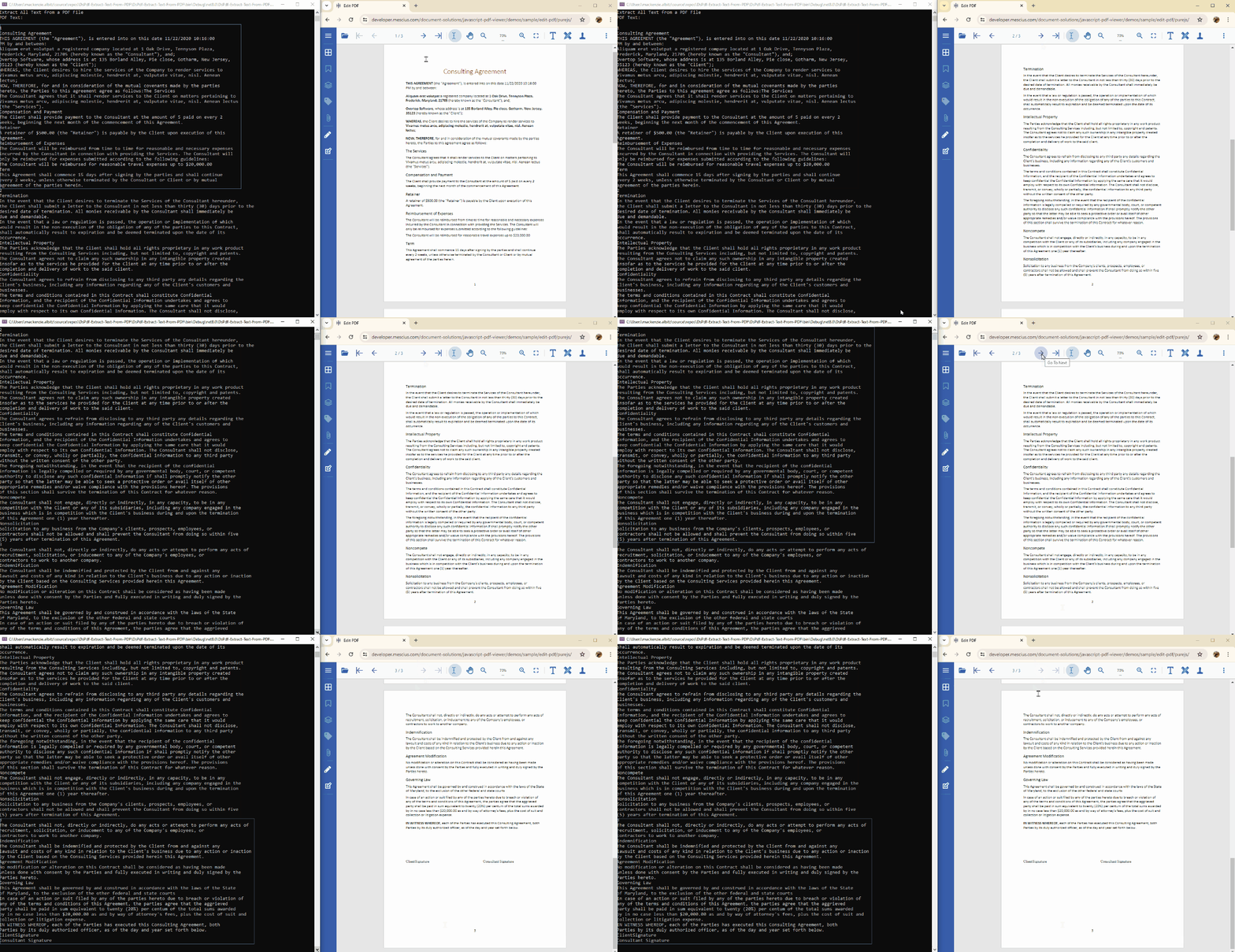
Use the GetText() method of the GcPdfDocument class to extract all text within a PDF. This method reads through the structure of the document and compiles all text into a single string.
static void ExtractAllText()
{
    Console.WriteLine("Extracting all text from a PDF file...");

    //Pass in the PDF file you want the text extracted from via a FileStream object
    using (var fs = new FileStream("Consulting_Agreement.pdf", FileMode.Open, FileAccess.Read))
    {
        //Create a new GcPdfDocument object to load the PDF FileStream object into
        var doc = new GcPdfDocument();
        doc.Load(fs);

        // Extract all text from the document
        var text = doc.GetText();

        Console.WriteLine("Extracted PDF Text:\n\n" + text);
    }
}
Running this code will print all the text from the PDF to the console window.
Extract Text from a Specific PDF Page in C#
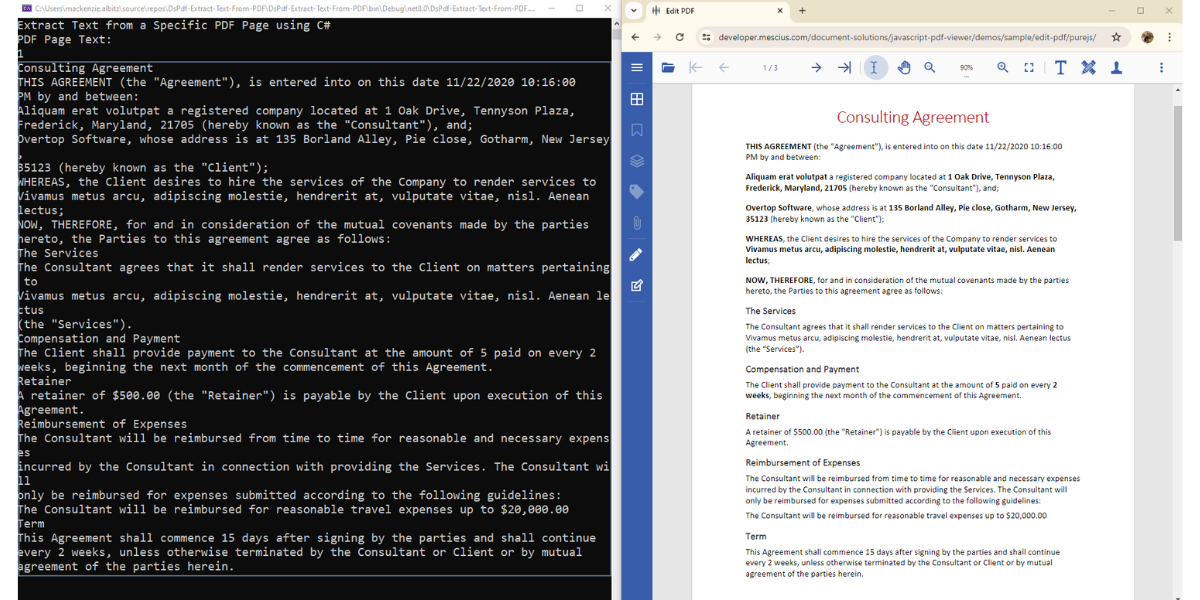
To extract text from a particular page, use the GetText() method on the desired Page object. The following example retrieves the text from the first page of the PDF:
static void ExtractTextFromPage()
{
    Console.WriteLine("Extracting text from the first page...");

    //Pass in the PDF file you want the text extracted from via a FileStream object
    using (var fs = new FileStream("Consulting_Agreement.pdf", FileMode.Open, FileAccess.Read))
    {
        //Create a new GcPdfDocument object to load the PDF FileStream object into
        var doc = new GcPdfDocument();
        doc.Load(fs);

        // Get text from the first page by choosing the Pages array index [0]
        var pageText = doc.Pages[0].GetText();

        Console.WriteLine("Page 1 Text:\n" + pageText);
    }
}
This is especially useful when you only need to process or analyze specific sections of a PDF file.
Extract Text from PDF Defined Page Regions in C#
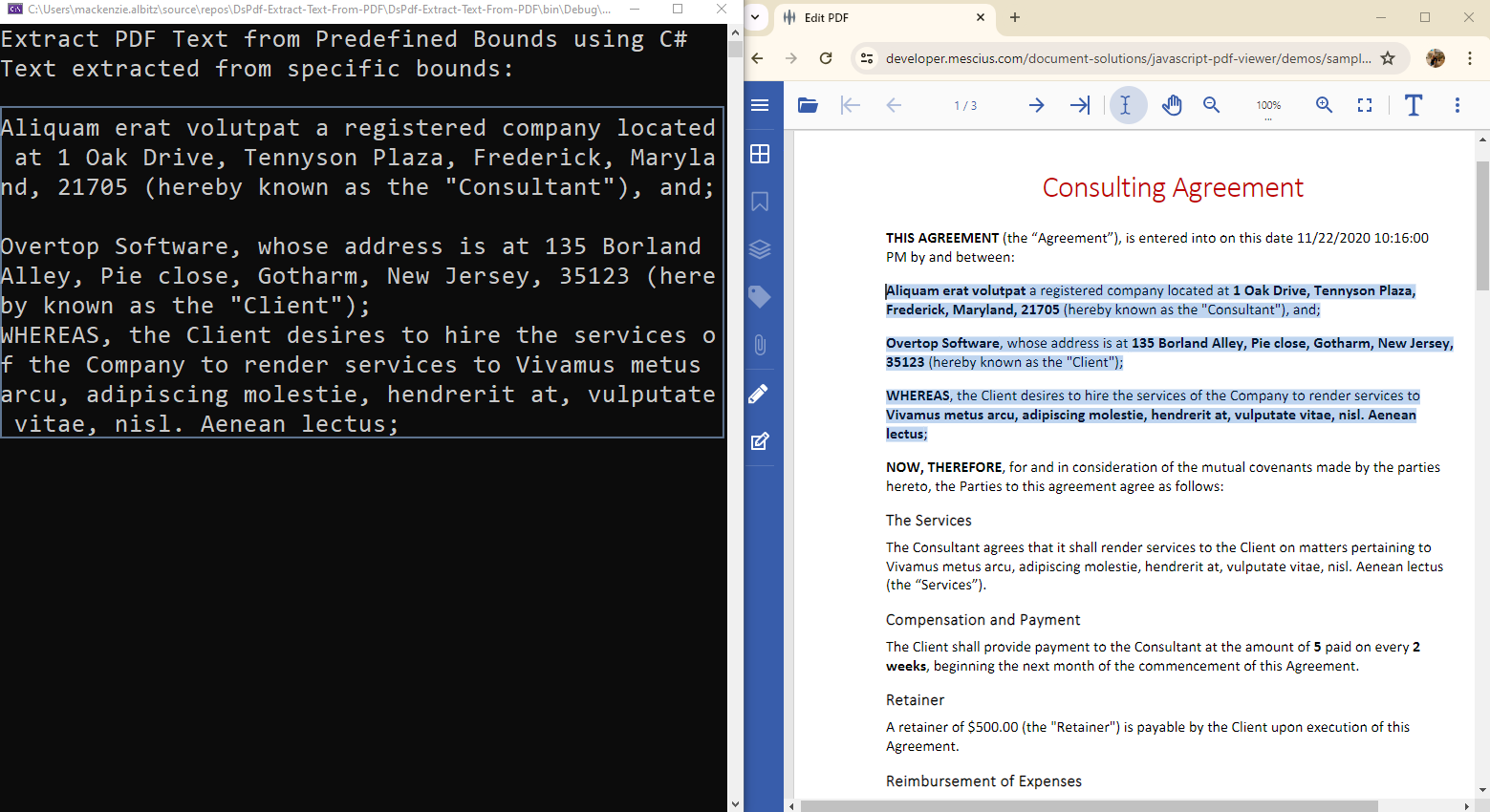
DsPdf also supports extracting text from specific geometric areas on a page. To do this, use the GetTextMap() method to obtain a text map and the HitTest() and GetFragment() methods to extract content within known coordinate bounds.
static void ExtractTextFromRegion()
{
    Console.WriteLine("Extracting text from a defined region...");

    //Pass in the PDF file you want the text extracted from via a FileStream object
    using (var fs = new FileStream("Consulting_Agreement.pdf", FileMode.Open, FileAccess.Read))
    {
        //Create a new GcPdfDocument object to load the PDF FileStream object into
        var doc = new GcPdfDocument();
        doc.Load(fs);

        var textMap = doc.Pages[0].GetTextMap();

        // Define coordinates (in inches, converted to points) for the bounds to be extracted
        float tx0 = 7.1f, ty0 = 2.0f, tx1 = 3.1f, ty1 = 4f;
        var startCords = textMap.HitTest(tx0 * 72, ty0 * 72);
        var endCords = textMap.HitTest(tx1 * 72, ty1 * 72);

        textMap.GetFragment(startCords.Pos, endCords.Pos, out var fragment, out string text);
        Console.WriteLine("Extracted Text from Bounds:\n\n" + text);
    }
}
Use this method when you need to extract text from specific locations, such as headers, footers, or defined data fields within forms.
Extract Font Information from a PDF in C#
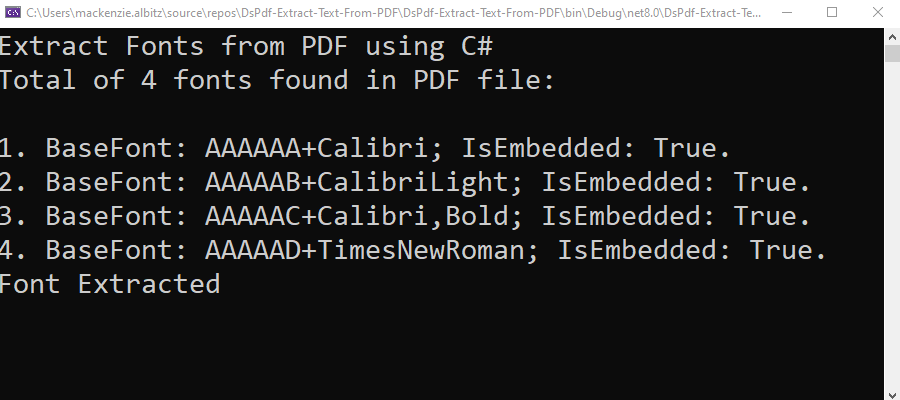
To list all fonts used in a PDF file, call the GetFonts() method on the GcPdfDocument object. This can help you audit font usage or identify embedded fonts.
static void ExtractFonts()
{
    Console.WriteLine("Extracting font information...");

    //Pass in the PDF file you want the text extracted from via a FileStream object
    using (var fs = new FileStream("Consulting_Agreement.pdf", FileMode.Open, FileAccess.Read))
    {
        //Create a new GcPdfDocument object to load the PDF FileStream object into
        var doc = new GcPdfDocument();
        doc.Load(fs);

        //Get document fonts via the GcPdfDocument GetFonts() method.
        var fonts = doc.GetFonts();

        //List number of fonts found in document
        Console.WriteLine($"Found {fonts.Count} fonts in this PDF:\n");
        int i = 1;

        //Loop to list out each font found in console
        foreach (var font in fonts)
        {
            Console.WriteLine($"{i}. BaseFont: {font.BaseFont}; Embedded: {font.IsEmbedded}");
            i++;
        }
    }
}
This is especially helpful for developers managing large document sets or automating font replacement workflows.
Next Steps
Review the DsPdf API documentation for more features.
Explore related tutorials: