Based on the C1Tile control, the C1SlideTile control includes a sliding animation between templates; however, the C1SlideTile.SlideDirection property determines the direction the content slides. You can set the SlideDirection property to one of the following values (the default value is All):
|
Value |
Direction |
|
Up |
Bottom to top |
|
Left |
Right to left |
|
Down |
Top to bottom |
|
Right |
Left to right |
|
All (default) |
All |
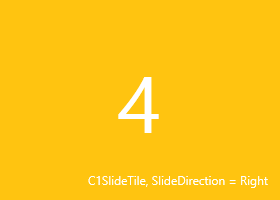
For example, here's an example of a C1SlideTile control with its SlideDirection property set to Right:
| Markup |
Copy Code
|
|---|---|
<Tile:C1SlideTile Content="4" Header="C1SlideTile, SlideDirection = Right" Padding="0" SlideDirection="Right" HorizontalHeaderAlignment="Right" Background="#FFC410" Foreground="White" FontSize="80" HeaderForeground="White" HeaderFontSize="12" Width="280" Height="200"/> |
|
The markup above creates the following C1SlideTile control: