
Create new currency formating for new language

Posted by: dnguyenthanhtu on 7 December 2022, 3:54 am EST

  • Posted 7 December 2022, 3:54 am EST - Updated 7 December 2022, 4:08 am EST

    I see the format cell currency for 4 languages:


    So that I have some issue when I work with another languages. When I change the format cell to the currency with other languages (example: português (Brasil))

    The format cell changes automatically from currency to the custom format.

    1. Is that above happening when we use the other languages which is not supported by spreadjs
    2. Can we add the new currency in list currency for your supported languages (4 languages in image 1) or your not supported languages ? How we do it?
    3. Why it only happens when we change to currency ? When we change to accounting, it is not occurred
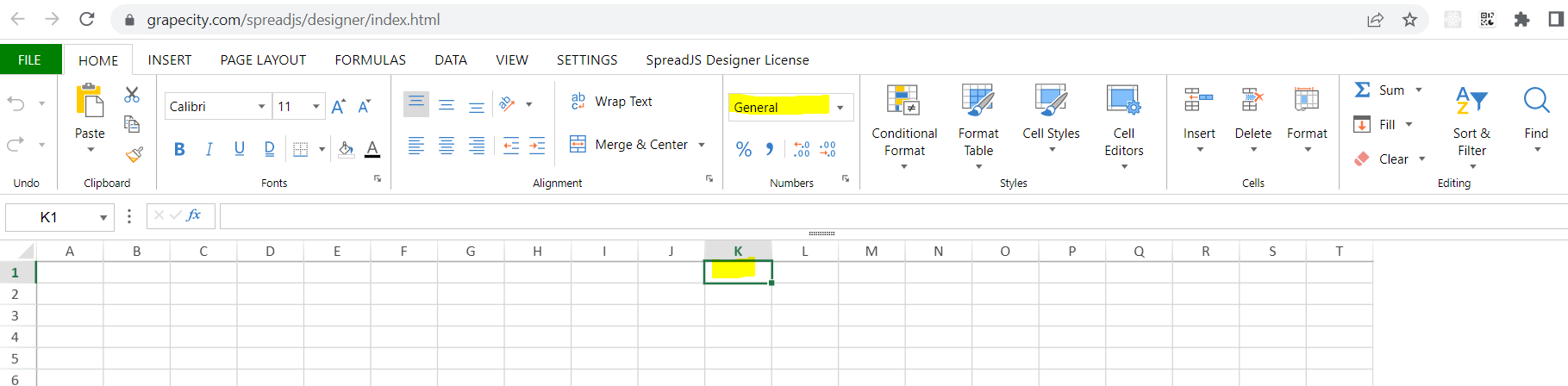
  • Posted 7 December 2022, 4:04 am EST - Updated 7 December 2022, 4:09 am EST

    The yellow 'll auto changed to custom if we format the yellow cell to currency

  • Posted 8 December 2022, 6:57 am EST

    It seems that bug also occurred your demo

  • Posted 8 December 2022, 6:59 am EST

  • Posted 8 December 2022, 3:29 pm EST

    Hi,

    Thank you for sending us the video and screenshots. I was able to reproduce the problem on my end using the most recent version of SpreadJS V15.2.5. This has been forwarded to the development team for further investigation. SJS-16239 is the internal tracking id for this. When I have an update for you, I will notify you.

    The problem appears to be related to the Designer. I was able to reproduce the problem using SpreadJS’s default culture.

    SpreadJS Designer also allows you to add currency, accounting, date, time, and special to the Format Culture Dialog. For more information on customizing the Format Culture Dialog, please see the following official documents: https://www.grapecity.com/spreadjs/docs/spreadjs_designer_component/customizations/designer-customize-culture

    Regards,

    Ankit

  • Posted 29 December 2022, 7:07 am EST

    Hi,

    The issue has been fixed in the latest version of SpreadJS V16.0.0. Please upgrade to the latest version of SpreadJS. You may download the SpreadJS V16.0.0 using the following link: http://cdn.grapecity.com/spreadjs/16.0.0/Files/SpreadJS.Release.16.0.0.zip

    Regards,

    Ankit

Need extra support?

Upgrade your support plan and get personal unlimited phone support with our customer engagement team

Learn More

Forum Channels
