Posted 28 October 2025, 11:07 am EST - Updated 28 October 2025, 11:16 am EST
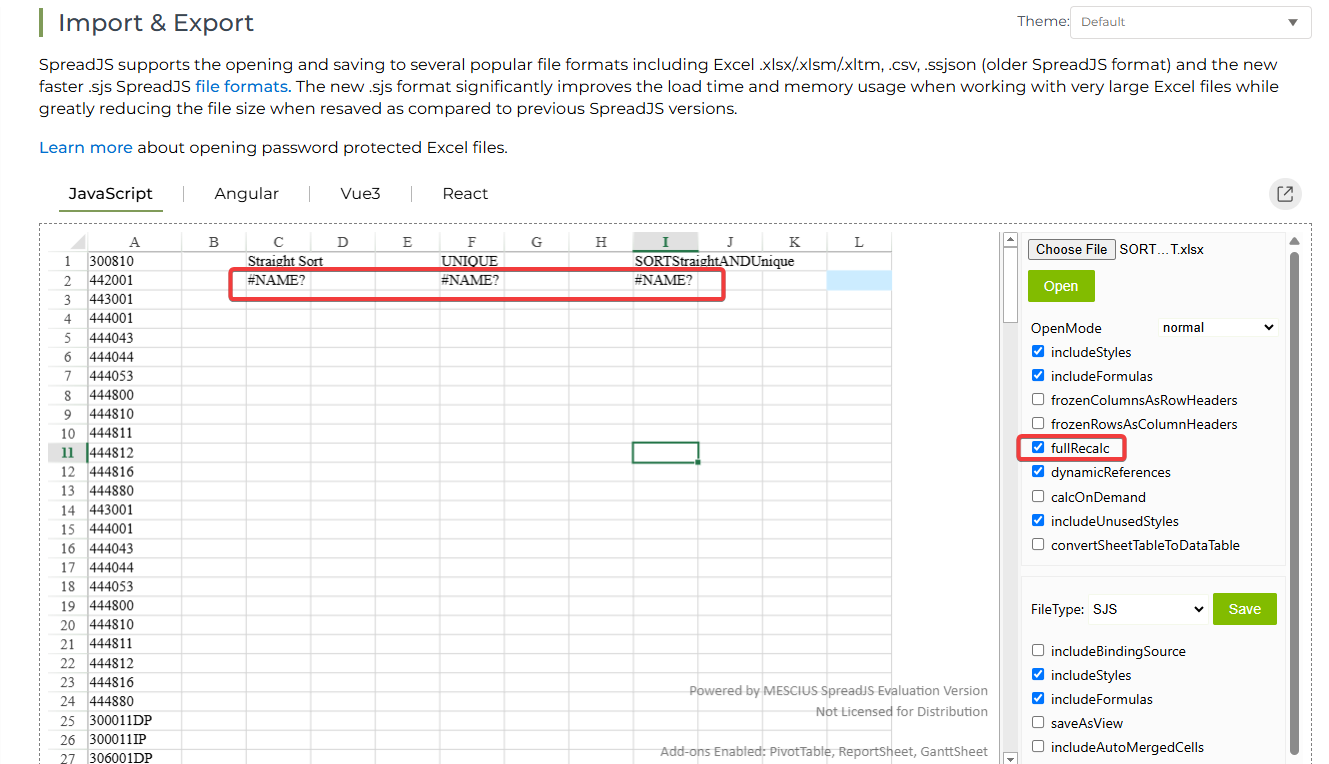
Functions referring to a local range name calculating as #NAME? errors
Posted by: dean.kinnear on 28 October 2025, 11:07 am EST
-

dean.kinnear
-

priyam.kushwaha

Posted 29 October 2025, 3:35 am EST
Hi,
Currently, SpreadJS does not support the VALUETOTEXT function. I’ve escalated this to the development team to check if it can be supported or if there’s any possible workaround. The internal tracking ID for this request is SJS-32043. I’ll update you as soon as I receive any information.
Regards,
Priyam -
priyam.kushwaha
Posted 30 October 2025, 8:08 am EST
Hi,
The dev team mentioned that the VALUETOTEXT function is currently in the product backlog, and there’s no ETA for its implementation. The internal tracking ID is SJS-32052.
As a workaround, you can create a custom function to achieve the same result.
We’ve attached a demo sample and a GIF showing how you can load an Excel file containing the VALUETOTEXT function.
Sample, gif and excel file: Sample.zip
You can also refer to the following demo to learn more about creating custom functions: https://developer.mescius.com/spreadjs/demos/features/calculation/custom-functions/purejs
Regards,
Priyam -
dean.kinnear
Posted 7 November 2025, 6:39 pm EST
The sample didn’t always work for me.
The following code seems to work well:
spread.options.allowDynamicArray = true; ValueToTextFunction.prototype = new GC.Spread.CalcEngine.Functions.Function(); function ValueToTextFunction() { this.name = "VALUETOTEXT"; this.maxArgs = 2; this.minArgs = 1; } ValueToTextFunction.prototype.isVolatile = () => true; ValueToTextFunction.prototype.evaluate = function (value, format) { try { return convertValueToText(value, format); } catch (e) { return GC.Spread.CalcEngine.CalcError.value; } }; GC.Spread.CalcEngine.Functions.defineGlobalCustomFunction('VALUETOTEXT', new ValueToTextFunction()); function dateToExcelSerial(date) { // Correct for timezone offset to ensure we're using the date's local day const tzoffset = date.getTimezoneOffset() * 60000; // offset in milliseconds const dateWithoutTimezone = new Date(date.getTime() - tzoffset); // Excel's epoch starts on 1899-12-31. JavaScript's is 1970-01-01. // The difference is 25569 days. const excelEpochDiff = 25569; const msInDay = 86400000; // 24 * 60 * 60 * 1000 // The +1 is because Excel treats 1900-01-01 as day 1, not day 0. return (dateWithoutTimezone.getTime() / msInDay) + excelEpochDiff + 1; } function convertValueToText(actualValue, format) { if (actualValue === null || actualValue === undefined) return ""; if (actualValue instanceof Error || (actualValue?.toString && actualValue.toString().indexOf("#") === 0)) return actualValue.toString(); const formatType = format ?? 0; if (typeof actualValue === 'boolean') return actualValue ? "TRUE" : "FALSE"; if (typeof actualValue === 'number') return actualValue.toString(); if (actualValue instanceof Date) return dateToExcelSerial(actualValue).toString(); if (typeof actualValue === 'string') { if (formatType === 1) return `"${actualValue.replace(/"/g, '""')}"`; return actualValue; } return String(actualValue); } -
priyam.kushwaha
Posted 10 November 2025, 2:04 am EST
Hi,
We’re happy to hear that it’s working well for you!
Regards,
Priyam