
C1FlexGrid.AutoSizeRow does not work for TextDirection.Down

Posted by: wknauf on 20 November 2025, 10:46 am EST

  • Posted 20 November 2025, 10:46 am EST - Updated 20 November 2025, 10:51 am EST

    See attached sample: in the fixed style, I set “TextDirection = TextDirectionEnum.Down”.

    When calling “AutoSizeRows”, the header row keeps the default height.
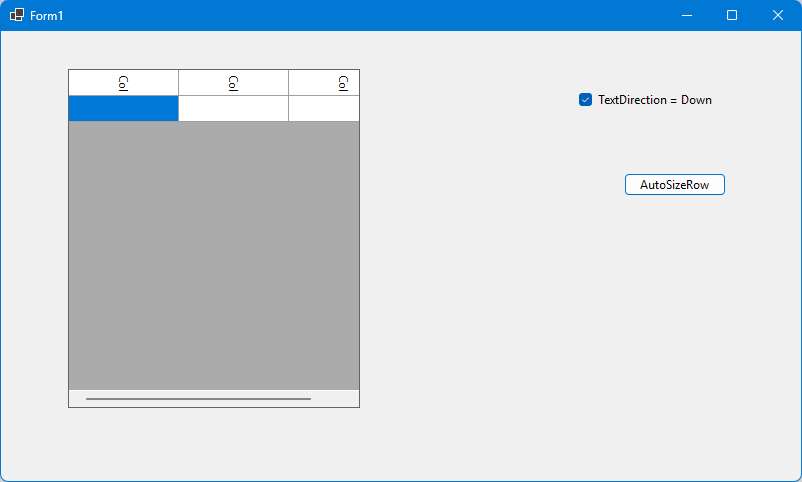
    To reproduce: start sample, set checkbox “TextDirection = Down” and click “AutoSizeRows”.

    FlexGridRowHeight.zip

    This probably worked a long time ago, as we have old code that used this approach. But it fails with .700 and .721.

    Best regards

    Wolfgang

  • Posted 21 November 2025, 5:46 am EST

    Hi Wolfgang,

    Thank you for sharing the sample project. We could see the behavior you mentioned. We tested older versions and observed that the issue was not present in the 2023v2(643) release, and can be reproduced starting from the 2024v1(657) release.

    We have shared the observations with the development team to get their insights on this and will let you know the updates as soon as possible.

    [Internal Tracking ID: C1WIN-34727]

    Best Regards,

    Kartik

  • Posted 21 November 2025, 8:22 am EST

    Thanks for checking the behavior with old versions! I could have done it myself, but I thought it might be broken since the pre-nuget times of C1, as it happens in a control that is rarely used in our app.

    Best regards

    Wolfgang

Need extra support?

Upgrade your support plan and get personal unlimited phone support with our customer engagement team

Learn More

Forum Channels